Selling online looks like a purely digital business until the paper and packages start arriving. Marketplaces ask for a verified business address. Customers send returns. Suppliers mail samples, invoices and catalogs. Tax forms, bank cards and platform verification letters show up by mail. If all of that goes to your home, your address ends up on seller profiles and return labels, and you spend your days waiting for deliveries.
A virtual mailbox built for business use can take most of that load off your doorstep. This guide explains what online sellers actually receive by mail, how a virtual mailbox fits into an ecommerce operation, how to handle returns and supplier mail, and what to check before you put a new address on your marketplace accounts.
What online sellers receive by mail
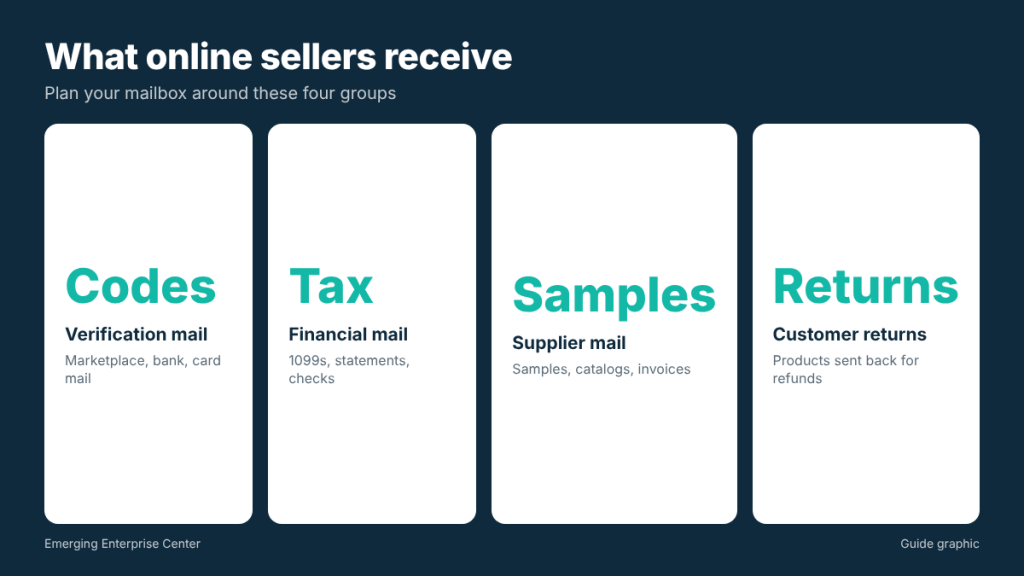
Before choosing a service, list what actually arrives. For most small ecommerce businesses it falls into four groups:
- Verification and account mail: postcards or letters with codes from marketplaces, payment platforms or banks, plus replacement debit cards.
- Financial and tax mail: tax forms such as 1099s, bank statements, state tax correspondence and occasional checks.
- Supplier mail and packages: product samples, packaging prototypes, catalogs and paper invoices.
- Customer returns: products sent back for refunds or exchanges, sometimes damaged or missing parts.
Letters are easy to handle remotely. Packages and returns are where your choice of provider really matters.
Why your address matters more for sellers
Marketplaces have become stricter about seller identity. The federal INFORM Consumers Act requires online marketplaces to collect and verify information from high-volume third-party sellers, and certain sellers must have contact information, including an address, disclosed to buyers. Platforms run their own verification on top of that, sometimes by mailing a code to the address you entered.
That leads to two practical rules:
- Use an address you are comfortable having public. If your seller profile may show your address, your home is a poor choice.
- Use an address that can receive verification mail quickly. A code that sits at a processing center for a week can stall your account setup.
A virtual mailbox with a real street address and suite number is a common solution. Always follow each platform’s current rules about what address types they accept and how verification works.
How a virtual mailbox fits an ecommerce workflow
Here is how a typical day looks with a virtual mailbox in place:
- Mail and packages arrive at the provider and are logged under your box.
- You get an alert with a photo of each envelope or package label.
- For letters, you choose open and scan, forward, hold or shred.
- For packages, you choose pickup, forwarding or, with some providers, opening to photograph the contents.
- Scanned documents go into your bookkeeping folders. Physical items are picked up on a schedule.
Handling customer returns through your mailbox
Returns are the part of ecommerce most sellers do not plan for. If your return address is your home, customers see it, and so does anyone who handles the package. Routing returns to a mailbox that accepts packages from every carrier keeps your home private and gives you a central intake point.
Set up a simple returns process
- Put a return reference on every label. Ask customers to include an order number, or generate prepaid labels that carry it. Matching a return to an order is the slowest part of processing.
- Inspect before refunding when possible. If your provider can photograph package contents, use that to check condition before issuing a refund.
- Batch pickups. Collect returns once or twice a week instead of every day.
- Log each return. Date received, order number, condition and outcome (restock, refurbish, discard).
Worked example: planning return volume
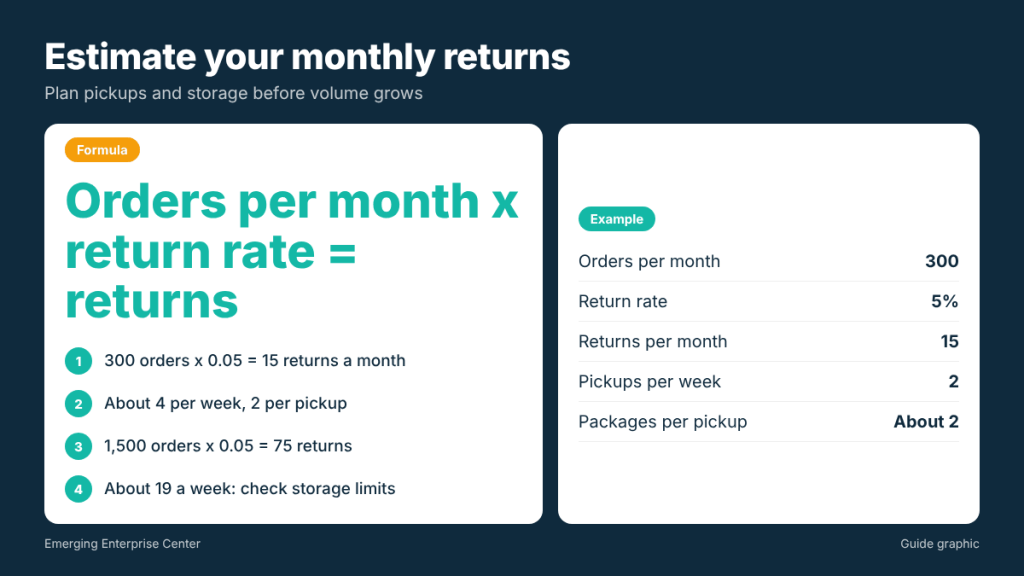
Say you ship 300 orders a month and your return rate runs around 5 percent. That is 15 returns a month (300 times 0.05), or roughly 4 per week. If you pick up twice a week, you collect about 2 packages each visit. That is easy for a mailbox counter to hold. If your volume grows to 1,500 orders at the same rate, you are looking at 75 returns a month, about 19 a week, and you should ask your provider about storage limits and package holding fees before you get there.
Damaged, empty or wrong-item returns
Every seller eventually receives a return that is not what the customer claimed: an empty box, a different product or an item that arrived broken. Ask your provider to note visible damage when the package is logged, keep the outer box and label until the case is closed, and photograph the contents as soon as you open it. Those photos and the provider’s arrival record are what most marketplaces ask for when you dispute a refund or file a claim with the carrier.
Tax season and financial mail
Financial mail is light most of the year and then arrives in a rush. Tax forms from payment platforms and marketplaces, year-end bank statements, state tax notices and sometimes a replacement card all show up in a few weeks. If you are traveling or at a trade show, that is exactly when things get missed.
- Set a scan-everything rule for January through March for anything from the IRS, the Texas Comptroller, your bank and the platforms you sell on.
- Create a “tax year” folder in your bookkeeping system and drop scans into it the day they arrive.
- Share access with your bookkeeper or tax preparer so they can see forms without waiting for you to forward them.
- Keep originals that might be needed later, and shred duplicates and envelopes containing account details instead of recycling them.
Supplier mail, samples and paperwork
Suppliers often ship samples by FedEx or UPS, which a standard PO Box generally cannot receive. A street address mailbox avoids refused deliveries. A few tips:
- Give suppliers your business name and suite number in the exact format your provider recommends.
- Ask for paper invoices to be emailed instead, when the supplier allows it, to cut scan volume.
- Keep sample tracking numbers in a shared sheet so you know what is expected each week.
- For large inventory shipments, confirm size and weight limits with your provider first. Many mail stores are set up for parcels, not pallets.
Before you change your seller address: a checklist
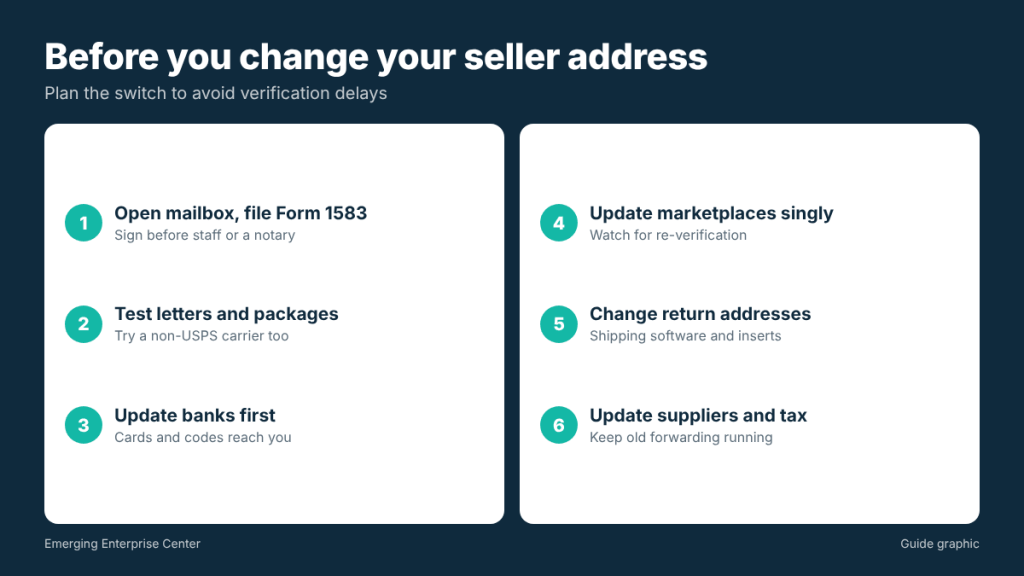
Address changes on marketplaces can trigger re-verification, so plan the switch:
- Open the mailbox and finish USPS Form 1583. It must be signed in front of the provider’s authorized staff or a notary, with two IDs, one with a photo.
- Test it. Mail yourself a letter and order a small package from a carrier other than USPS to confirm both arrive.
- Update banks and payment processors first, so verification mail and cards reach the new address.
- Update marketplaces one at a time, watching for verification requests.
- Change return addresses in your shipping software and on any printed inserts.
- Update suppliers and tax accounts, then keep forwarding on your old address for a while to catch stragglers.
Features online sellers should prioritize
- All-carrier package acceptance, including USPS, FedEx, UPS and DHL.
- Package photos and holding time that fits your pickup schedule.
- Same-day alerts for verification codes and replacement cards.
- Local pickup so you can collect returns or urgent items yourself.
- Forwarding options when you travel to trade shows or work from elsewhere.
- Clear fee structure for scans, package handling and storage, so you can estimate monthly costs from your own volume.
Frequently asked questions
Can I use a virtual mailbox as my marketplace business address?
Many sellers do, but each platform sets its own rules and verification steps. Review the platform’s current seller requirements before changing your address.
Can customer returns go to my virtual mailbox?
Yes, if your provider accepts packages from the carriers your returns use and can hold them until pickup. Confirm package limits first.
Will a virtual mailbox receive my 1099 and tax forms?
Yes. Tax forms arrive like any other mail and can be scanned so you have them for your bookkeeper right away.
What about large inventory deliveries?
Mailbox services generally handle parcels. For pallets or bulk freight, plan a separate receiving location and confirm limits with your provider.
Selling online from Houston?
Keep your home address off seller profiles with The Postal Spot’s digital mailbox, which accepts packages from every carrier and lets you pick up returns locally.